

Reelfolio vs CapCut: the right way to put design work on TikTok
ComparisonsUpdated AUG 27, 20266 min
CapCut is how half the internet edits video, and for talking-head clips, vlogs, and trend formats it deserves the crown. But a designer posting work to TikTok or Reels has a different problem. Not cutting footage. Making screenshots and mockups move beautifully. CapCut was never built for that job.
How we compared them
CapCut is a real video editor and Reelfolio is not, so comparing them on editing features would settle nothing. These are the questions that actually decide it.
- 01
What the video is for
Footage you shot, or design work you want presented. The answer picks the tool.
- 02
How you edit
A timeline you cut on, versus a finished template you drop media into.
- 03
Time to a finished reel
From raw screenshots to an exported file, on both routes.
- 04
Export quality and formats
Resolution, watermarks and aspect ratios on the plan you would really be on.
- 05
What it costs, and how clearly
Both the price, and how easy that price is to find before you commit.
Reelfolio vs CapCut at a glance
| Reelfolio | CapCut | |
|---|---|---|
| What it is | Showreel maker: drop media in, pick a template, export | Timeline video editor for mobile, desktop, and web |
| Best for | Portfolio reels, product showcases, design work on socials | Talking-head edits, vlogs, captions, trend formats |
| Editing model | No timeline, pick a template and tune settings | Multi-track timeline with keyframes and effects |
| Templates for design work | 200+ built for screens and mockups | Huge library, but trend and meme oriented |
| Time to a polished reel | Under a minute | An hour or more of timeline work |
| Auto captions and footage tools | Not a footage editor | Best-in-class captions, chroma key, speed ramps |
| Max export quality | 4K, no watermark | 1080p free, 4K on Pro |
| Aspect ratios | One project exports 9:16, 1:1, 4:5, and 16:9 | 9:16 native, other ratios are manual re-layouts |
| Pricing model | $12/month, or $9/month billed yearly | Free tier, Pro from about $19.99/month after the 2026 price rise |
| Pricing transparency | One public price | Varies by region, platform, and promotion |
Two different jobs wearing the same format
A 9:16 video of a person talking and a 9:16 video of an app interface look like the same medium. They are opposite production problems. Footage needs cutting. Trims, captions, jump cuts, B-roll. Design work needs choreography. How a screen enters, how long it holds, how it hands off to the next one, whether the motion reads as considered.
Reelfolio
Solves the second problem only
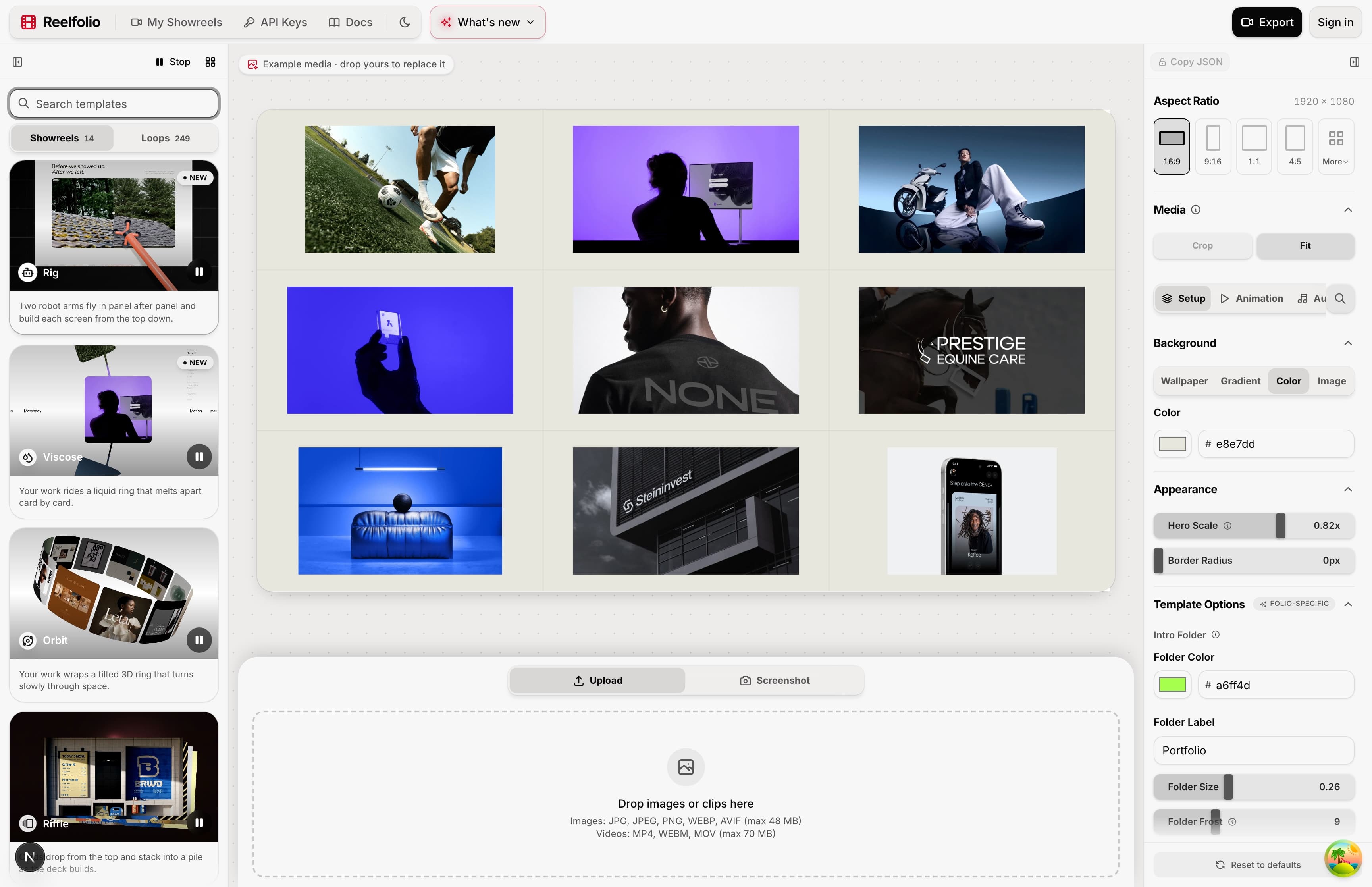
The choreography is the product. 200+ templates where the timing, easing and transitions are already designed for screens and mockups. Drop in your shots, pick a direction, export vertical.
There is no timeline to learn and nothing to keyframe, which is the whole trade: you give up frame-level control and get a designed reel out of a folder of stills.

CapCut
Solves the first problem better than anyone
For footage, nothing here touches it. Cutting, captions, speed ramps, chroma key, all of it free and all of it good.
For design work it hands you an empty timeline and a template library tuned to trends and memes. You can build a portfolio reel in it, keyframing each screenshot by hand. It will take an evening, and it will look like a designer learned CapCut, not like a motion designer presented the work.
Where each one wins, and what it costs
Reelfolio
- Templates made for design work, so the reel reads as designed motion
- A finished vertical reel in under a minute, no timeline session
- The same project exports 9:16, 1:1, 4:5 and 16:9 without re-layout
- 4K cloud rendering with no watermark
- Free to build and preview in the browser, you pay at export
- Not a footage editor: no cutting, captions or audio work on clips
- No trend or meme templates, it's portfolio and product focused
- No mobile app, it runs in the browser
$9/mo
Billed yearly at $108, or $12 month to month. One public price, no regional roulette.
CapCut
- The best free tier of any editor: multi-track timeline, keyframes, chroma key, 1080p export
- Auto captions that are still the reference point for everyone else
- Native TikTok integration and an enormous trend template library
- Cross-device: start on your phone, finish on desktop
- Pro roughly doubled in 2026, and existing subscribers were moved to the new rates
- Formerly free features keep migrating behind the Pro paywall
- Pricing is opaque: it differs by region, platform and promotion
- Portfolio reels mean manual keyframing, its templates chase trends, not design work
~$19.99/mo
Pro, after the 2026 price rise. About $179.99 a year on annual
None of that makes CapCut a bad tool. A price that went from about $9.99 to $19.99 in one move, with existing subscribers rolled onto the new rate, just makes it a moving target to depend on. Reelfolio's answer is boring on purpose. One public price, $12 a month or $108 a year, and you can cancel whenever you stop needing reels. For something you reach for a few times a month, boring is a feature.
Who each one is for
Pick Reelfolio if
- You are a designer putting work on TikTok, Reels, or Shorts
- Your raw material is screenshots and screen recordings, not footage
- You want designed motion without an evening of keyframing
- You want one public price, not one set by region or promotion
Pick CapCut if
- You edit footage: talking to camera, vlogs, tutorials
- You need auto captions, cutting, and audio tools
- You ride TikTok trends and their template formats
- You edit on your phone
If you're already inside a design suite rather than an editor, the Canva comparison answers the same question from that side. And CapCut is one of five common answers here, so the roundup of tools for a design portfolio video ranks it against Jitter, After Effects and Canva too.
“Reelfolio makes it effortless to turn our thousands of screenshots into clean, engaging X videos. I used to do this manually with Screenstudio, but Reelfolio is dramatically faster and simpler.”

Rob Austin
@ausrobdev
“Reelfolio is an essential part of our studio workflow. It helps us create polished videos quickly, without the usual editing overhead.”

4080 Studio
4080studio.com
If you post both, use both
CapCut for the videos where you talk. Reelfolio for the videos where the work does the talking. They barely overlap, and nobody is asking you to pick a side.
The mistake is using a footage editor on a folder of stills. That's an hour of keyframing scale and position on every shot, every time, and you'll do it once and never again.
Frequently asked questions
Read more
See all posts
ToolsUpdated AUG 27, 20264 min
The best tools for animated mockups (the apps I actually use)
Four tools I use to turn flat screenshots into product videos: 3D device scenes, framed shots, custom motion, and a full showreel.

ShowreelsUpdated AUG 27, 20265 min
Nine ways to animate your portfolio reel, and when to use each
Nine of Reelfolio’s animation styles, what each one does to your work, and the kind of portfolio it suits.
ToolsUpdated AUG 27, 20263 min
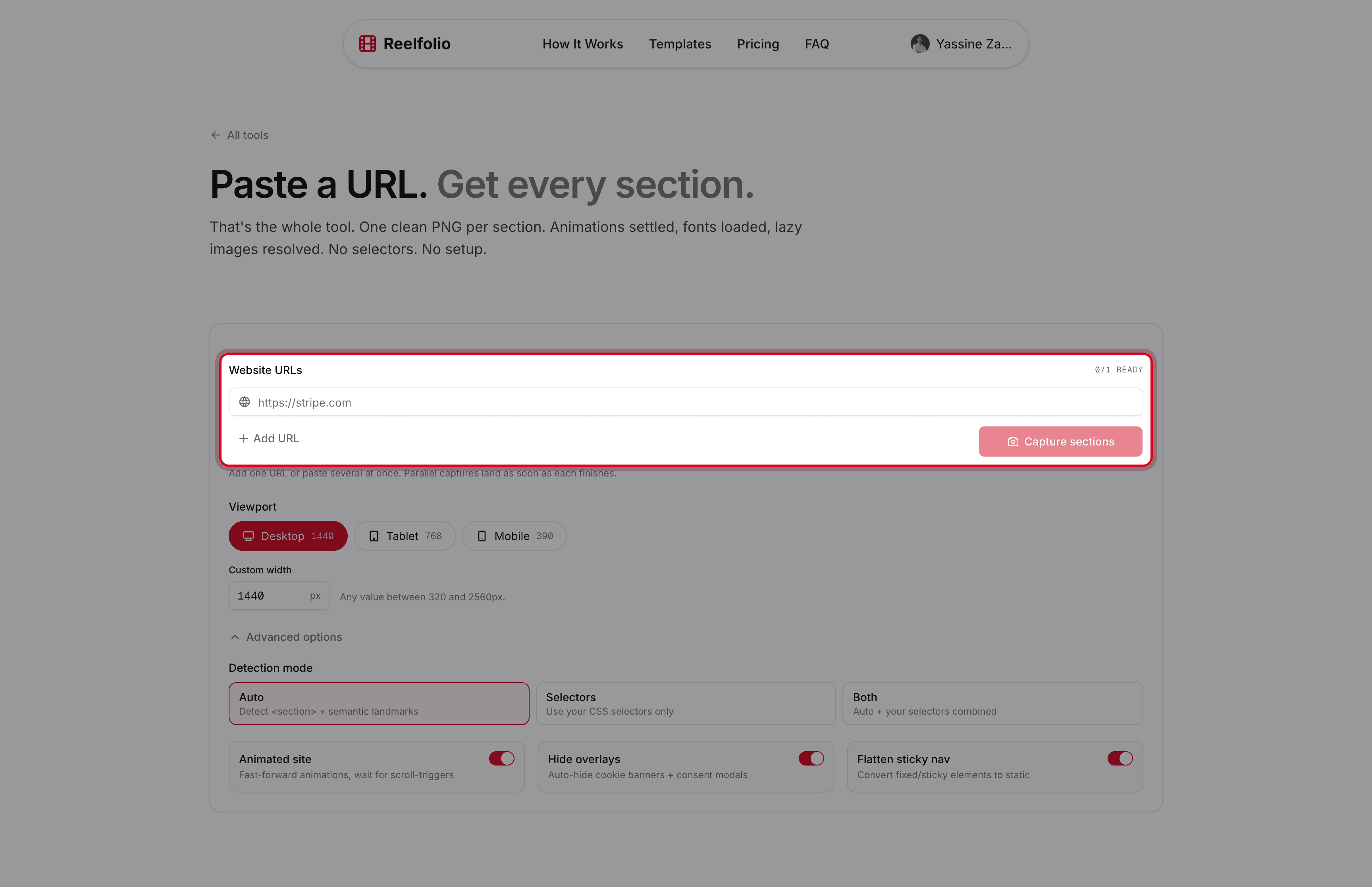
The free tool that turns any website into clean, per-section screenshots
Section Screenshot captures each part of a page as its own clean image, with fonts, lazy images, and animations handled for you.
Pick a template. Watch it run.
Preview the motion, then send your screenshots to Reelfolio and ship the reel in about a minute.