Nine ways to animate your portfolio reel, and when to use each
ShowreelsUpdated AUG 27, 20265 min
You spent weeks on the work and it ends up as a screenshot people scroll past in half a second. A showreel makes it move without opening a video editor: you pick a style, drop in your screenshots, and Reelfolio animates the rest.
Here are nine of them, newest first, with what each one does and when to reach for it. Every clip below is a real preview from the app, and the full library runs to 200+ templates.
Comet: streak in on a curve, blaze off
Each piece flies in along a curved arc, holds sharp in the middle, then accelerates off the top with motion blur and huge background text. Loud, and it knows it.
Reveal: open through a growing mask
A rectangular or circular mask opens from whichever corner you pick while the image scales up to fill the frame. Cinematic, and slow enough to let one piece land.
Rise: a hero opener, then a climb
Your first image zooms out to a centred hero with the rest tiled behind it, then each new piece rises up from below over the last. Good when you have one shot that deserves to open.
Rolodex: an endless, tilted scroll
Your work scrolls continuously in one direction with a slight 3D tilt, and each video starts playing as it reaches the centre. This is the one that loops well on socials, because it never really ends.
Stack Carousel: flip through a deck of cards
Your shots sit as a stacked deck and the front card pushes through to reveal the next. Use it when the order matters and you want people to take the pieces one at a time.
Slide: a clean left-to-right showcase
Each piece slides in from one edge and out the other, pausing in the middle so it gets its moment. You can set it to glide left, right, up or down. The calm one.
VFlip: turn through your work like pages
Each image flips down like a turning book page to reveal the one behind it. Playful, and it suits a story that runs in sequence.
Unveil: each piece opens to fill the screen
Every image expands from the centre out to full screen, overlapping the one before it. Smooth, and it gives hero shots room to breathe.
Snap: punchy work that pops in
Every shot lands with an instant scale pop and no fade. Reach for it when you want something fast that hits on the beat, especially for product shots.
How to pick
Calm and editorial? Slide or Rise. Fast and punchy? Snap or Comet. Something that loops on Reels and TikTok? Rolodex. Telling a story one piece at a time? Stack Carousel or VFlip.
If you haven't settled on a tool yet, the roundup of tools for a design portfolio video comes first.
“Simple to use, incredibly efficient, and perfect for turning our design work into engaging presentations and showcase videos.”

Ketan Pandey
@ketandesign
“Reelfolio is insanely good. Every detail feels sharp and thoughtfully crafted.”

Irsyad
@irsyad
Don't overthink the style
You can switch templates on the same upload with one click, so the cost of being wrong is about four seconds. Try three, keep the one that fits the work.
What matters more is the order. Lead with your strongest piece, keep it under thirty seconds, and cut anything you're only including because you made it.
Read more
See all posts
ToolsUpdated AUG 27, 20263 min
The free tool that turns any website into clean, per-section screenshots
Section Screenshot captures each part of a page as its own clean image, with fonts, lazy images, and animations handled for you.
PortfolioUpdated AUG 27, 20263 min
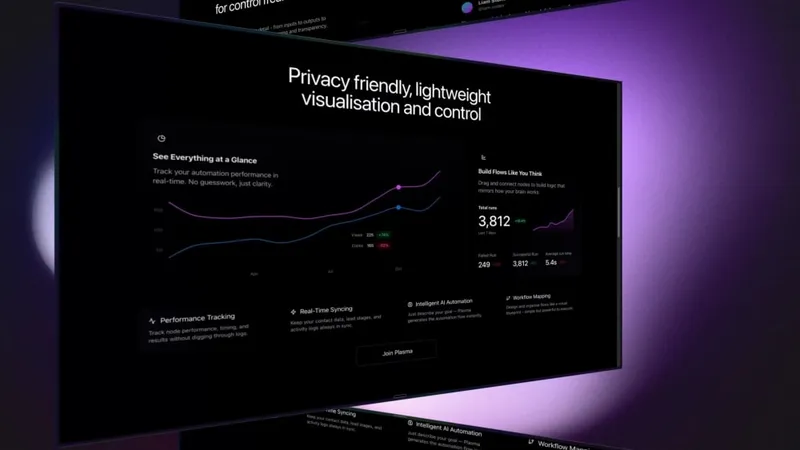
Static screenshots are killing your portfolio. Do this instead
A flat screenshot is the easiest thing to scroll past. Turn the same shots into a short reel that actually holds attention.
ToolsAUG 27, 20264 min
The best tool for creating a design portfolio video
Five tools for turning design work into a portfolio video, what each one costs in time and money, and which to open first.
Pick a template. Watch it run.
Preview the motion, then send your screenshots to Reelfolio and ship the reel in about a minute.